
Google Review QR Code, NFC Card or Plaque: Which One to Choose (2026)
Contents
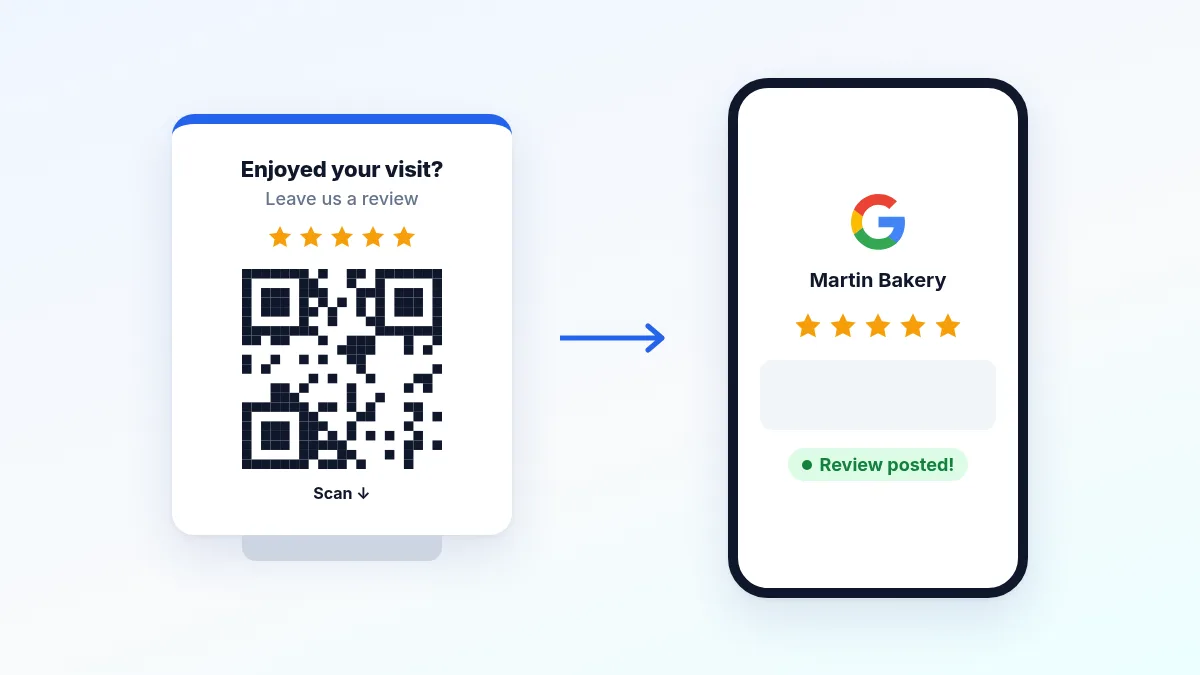
A Google review plaque on the counter turns a happy — but busy — customer into a published review in 30 seconds. It’s the physical form of your Google review link: the customer scans or taps their phone, the “Write a review” window opens, done. What’s left is picking the right format and the right technology. Here’s how to decide, what it really costs, and the rules you can’t break.
What is a Google review plaque?
It’s an object — plaque, card, table tent, stand or sticker — carrying a QR code and/or an NFC chip that points to the review form of your Google Business Profile. The object doesn’t create reviews: it removes the friction between wanting to leave a review and actually doing it. Two technologies coexist:
- QR code: the customer opens the camera, points it at the code, taps the notification. Works on every recent smartphone.
- NFC (Near Field Communication): the customer holds their phone near the plaque, nothing to open. Faster, but needs a compatible phone with NFC turned on.
QR code or NFC: which one?
That’s the real question, and the answer depends on how customers move through your business.
| Criterion | QR code | NFC |
|---|---|---|
| Compatibility | Every smartphone | Recent phones, NFC on (~80%) |
| Customer gesture | Open camera + aim | Hold phone near it |
| Range | Works at 3–6 ft, through a window | Contact (< 1 in) |
| Cost | Almost free (print) | Plaque/card with a chip |
| Works in print / photos | Yes (print it anywhere) | No (hidden chip) |
Bottom line: the QR code is the default choice — universal, free to make, readable from a distance (window, table, receipt). NFC is a bonus at the counter, where “tap your phone” is smoother than “open your camera”. Most businesses that add NFC keep a QR code on the same plaque so nobody is left out. Combining both is best practice, not a luxury.
Which format for which business?
- Counter plaque / table tent — restaurant, salon, shop. The classic: visible at checkout, when satisfaction peaks.
- Table card — café, restaurant. The customer leaves a review while waiting for the check.
- Window sticker — QR code only (NFC doesn’t read through glass). At eye level, readable from the sidewalk.
- Business card / bag insert — tradespeople, delivery, services where you don’t see the customer again. The card leaves with them.
- Waiting room stand — clinic, garage, agency. Dead time becomes an opportunity.
How to get your Google review link
Every format starts from the same thing: your Google review link. No third-party “link generator” needed — Google gives it to you for free:
- Search for your business name on Google (signed in as the owner) or open your profile in Google Business Profile.
- Click “Ask for reviews” (or “Get more reviews”).
- Copy the short link (
g.page/r/...): it opens the rating window directly.
If you can’t find the button, you can build the link yourself from your Place ID (look it up with Google’s free Place ID Finder): https://search.google.com/local/writereview?placeid=YOUR_PLACE_ID. We cover the whole method in how to get more Google reviews.
With that link, two options:
- Turn it into a QR code with our free Google review QR code generator: plaque, poster, sticker or card, print-ready, no sign-up.
- Write it to an NFC chip (plaques and cards usually ship with an encoding app).
The trap: static vs. dynamic
A static QR code hard-codes the URL: if the link changes, the printed code is dead and you reprint everything. A dynamic QR code points to an intermediate URL you can redirect at will, and counts scans. For a few fixed plaques, static is enough. As soon as you equip several locations or want to measure what works, dynamic is worth it. Same logic for NFC, which can almost always be re-encoded.
Free or paid: what does it really cost?
Everybody asks, so let’s be clear:
- The Google review link is free, provided by your profile.
- A static QR code is free: online generator + home printing. A laminated sheet does the job.
- What you pay for is the finished object: an acrylic QR plaque runs about $10–30, an NFC plaque or card about $15–45 each, and “dynamic” solutions with scan tracking are a subscription (a few dollars a month).
In other words: you can start at zero dollars with a printed QR code, then invest in a nice NFC plaque once the routine works. Don’t pay before you’ve checked that your customers actually scan.
Where to place it to get more scans
The best plaque in the wrong spot does nothing. What works in practice:
- At checkout, when satisfaction is highest.
- At eye level, not flat on a cluttered counter.
- With a call to action: “Your review in 30 seconds 🙏” converts better than a bare code.
- Backed by a spoken ask: “Feel free to scan it, it really helps us.” Customers who are asked out loud scan far more often.
- Test, then keep what works: with a dynamic QR code, compare spots by number of scans and move the plaque accordingly.
The Google rules to follow
A review collected outside the rules can be removed — and can even hurt your profile. Three don’ts:
- No reward for a review (discount, gift, prize draw). Google explicitly forbids it, and in the US the FTC rule on fake reviews applies too.
- No review gating: you can’t send only happy customers to Google and steer unhappy ones elsewhere. Show the plaque to everyone.
- No in-store “review kiosk” that posts for the customer: the review must come from the customer’s own Google account, on their own phone.
Following these rules also means responding to reviews, negative ones included — that’s what builds trust with future customers and helps your local ranking.
Frequently asked questions
Do I need an NFC card, or is a QR code enough? A QR code is enough to start and works for everyone. Add NFC if customers come to a counter and you want the fastest possible gesture — ideally on the same plaque as the QR code.
Can I make a Google review plaque for free? Yes: the review link is free, and so is a static QR code. You only pay for the physical object if you want more than a home print.
What if I don’t have a Google Business Profile yet? You first need to create and verify your profile: the review link only exists once the profile is live.
How do I know if customers really scan? Use a dynamic QR code (or link): it counts scans and lets you compare spots and formats.
Does a QR code work on a shop window? Yes for the QR code (readable through glass), no for NFC (the chip only reads on contact). For a window, stick to QR.
Then answer every review
A plaque brings in more reviews; they still need an answer. Horair gathers your Google, Facebook and Trustpilot reviews in one place, alerts you to new ones and lets you reply from a single screen — and keeps your opening hours right everywhere, so the customers you collected reviews from find your door open. Create your free account.